-
Type:
Bug
-
Resolution: Cannot Reproduce
-
Priority:
 P4
P4
-
None
-
Affects Version/s: fx2.0
-
Component/s: javafx
-
Environment:
Version: JavaFX 2.0 Beta (Build 32)
Platform: Windows 32-bit
OS: Windows 7 64-bit
IDE: NetBeans 7.0
The attached application adds a TabPane to a ScrollPane, which is the root of the Scene.
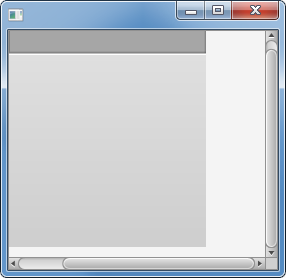
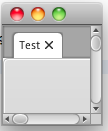
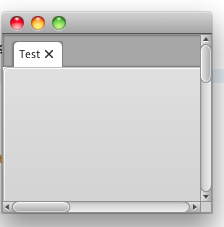
* When the application opens, scroll bars are not visible when they should be.
* Resizing the Stage can cause scroll bars to appear (sometimes), but they are usually the wrong size.
* Resizing the Stage (sometimes, especially after clicking/dragging the scroll bars) causes the painted region to move, leaving non-interactive white space.
* Clicking on the scroll bars fixes the painting issues, but causes the scroll bars to disappear.
* When the application opens, scroll bars are not visible when they should be.
* Resizing the Stage can cause scroll bars to appear (sometimes), but they are usually the wrong size.
* Resizing the Stage (sometimes, especially after clicking/dragging the scroll bars) causes the painted region to move, leaving non-interactive white space.
* Clicking on the scroll bars fixes the painting issues, but causes the scroll bars to disappear.