P2
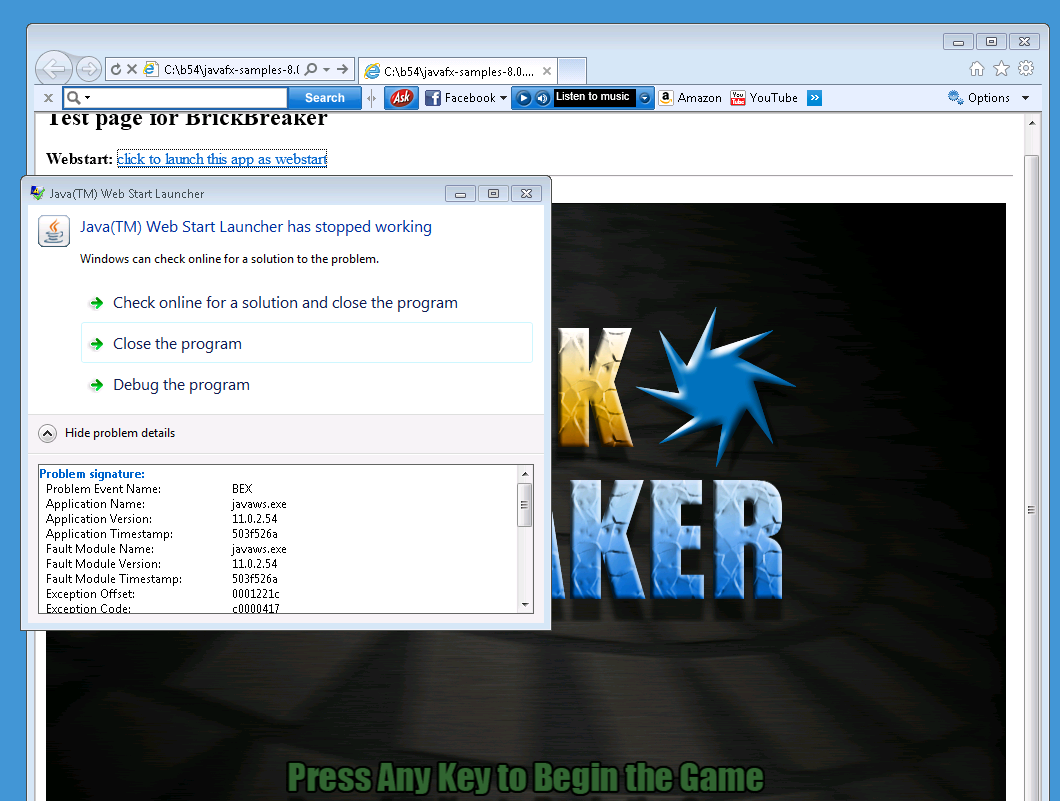
P2 When launching the JavaFX 8 samples as webstart from the html page, the Java web start launcher stopped.
*** Tested Configuration
- x86 Win 7/ IE 9
- x64 Win 7 64-bit IE 9
- jre 8-b54 (32-bit and 64-bit)
- javafx 8-b54 samples: http://jre.us.oracle.com/java/re/javafx/jdk-cobundle/8/windows-i586/javafx_samples-8_0_0-ea-b54-windows-29_aug_2012.zip
*** Steps to produce:
0) Uninstall all JREs on the system
1) Install jre8-b54
2) Instdall the javafx 8-b54 samples
http://jre.us.oracle.com/java/re/javafx/jdk-cobundle/8/windows-i586/javafx_samples-8_0_0-ea-b54-windows-29_aug_2012.zip
3) Use IE to invoke the html page from the installed sample in step#2 (e.g BrickBreaker.html)
4) Applet should load. Click the linl "click to launch this app as webstart"
If the Java Web Start Launcher fails to work, then the issue is reproducible
(Note: Running javaws from the command line is OK)