-
Type:
Bug
-
Resolution: Fixed
-
Priority:
 P3
P3
-
Affects Version/s: 7u6
-
Component/s: javafx
-
None
Change the background image :
File -> Preferences...
to RED_GRID
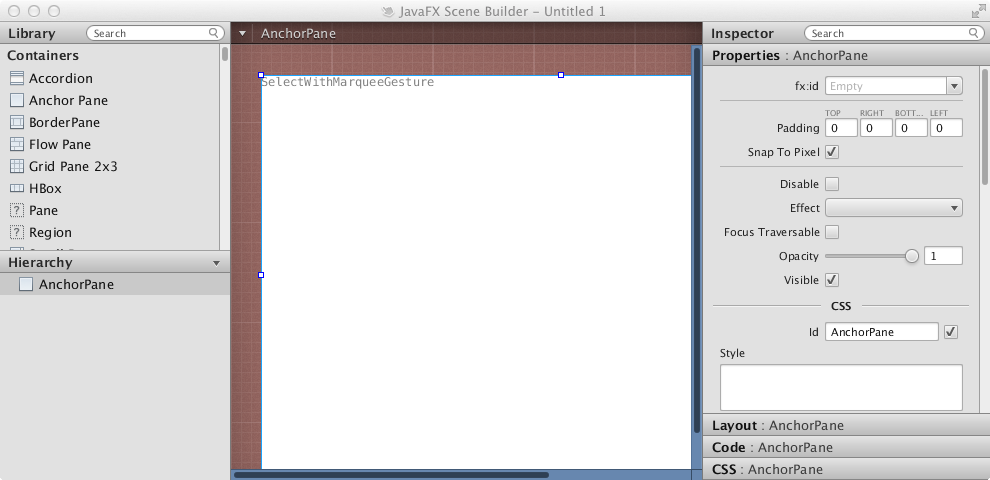
Now resize the tool to a smaller size so the scroll bar appears.
The original blue color appears at the scroll bar location.
See attached screen shot.
File -> Preferences...
to RED_GRID
Now resize the tool to a smaller size so the scroll bar appears.
The original blue color appears at the scroll bar location.
See attached screen shot.