-
Type:
Bug
-
Resolution: Not an Issue
-
Priority:
 P4
P4
-
None
-
Affects Version/s: 21, 24
-
Component/s: tools
-
None
Summary:
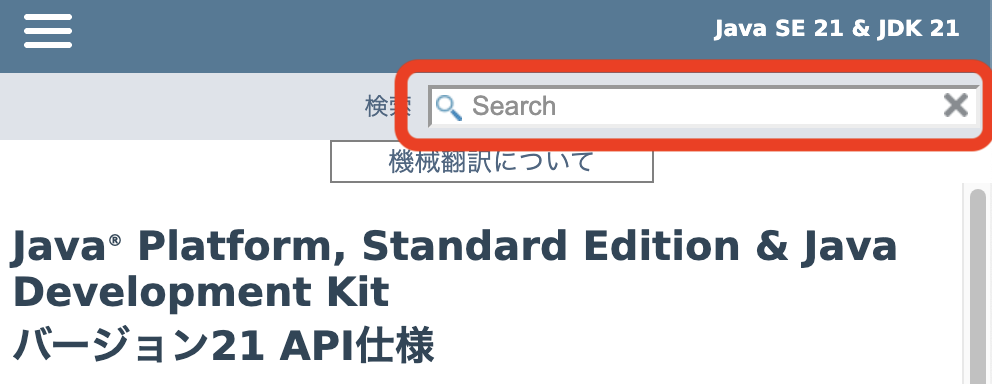
On the Japanese translation of the Java API documentation for Java 21 and 24, the top-right Search box is non-functional.
Steps to Reproduce:
1. Open the Japanese version of the Java API docs for Java 21 or 24.
https://docs.oracle.com/javase/jp/21/docs/api/
https://docs.oracle.com/javase/jp/24/docs/api/
2. Click/tap the Search box (top-right).
3. Try to type in the field.
Browser: Any (reproduced on Chrome, Firefox, Safari)
Expected Result:
Focus moves to the search field and user can type to search.
Actual Result:
The field cannot be focused and no text can be entered (search unusable).
Scope:
Reproducible only on JA (Japanese) pages for Java 21 and 24.
Other versions (e.g., 17, 22,) appear OK.
English pages are OK.
Suspected Cause:
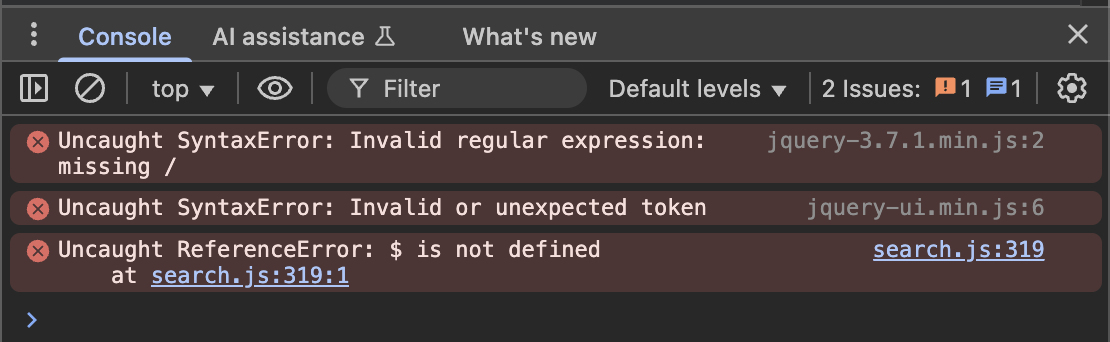
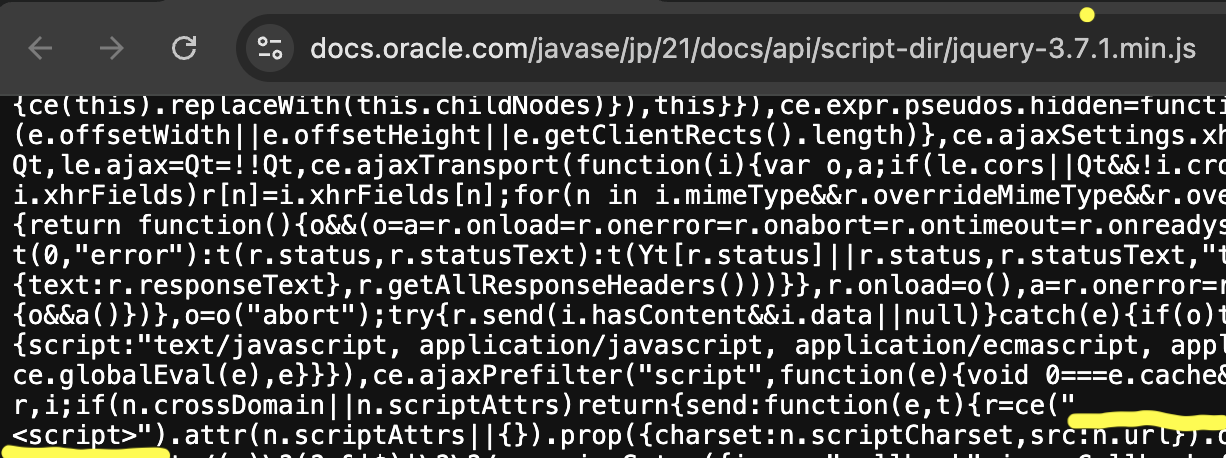
A JavaScript file on the page appears to include an unintended newline causing a JS error which prevents the search initialization.
On the Japanese translation of the Java API documentation for Java 21 and 24, the top-right Search box is non-functional.
Steps to Reproduce:
1. Open the Japanese version of the Java API docs for Java 21 or 24.
https://docs.oracle.com/javase/jp/21/docs/api/
https://docs.oracle.com/javase/jp/24/docs/api/
2. Click/tap the Search box (top-right).
3. Try to type in the field.
Browser: Any (reproduced on Chrome, Firefox, Safari)
Expected Result:
Focus moves to the search field and user can type to search.
Actual Result:
The field cannot be focused and no text can be entered (search unusable).
Scope:
Reproducible only on JA (Japanese) pages for Java 21 and 24.
Other versions (e.g., 17, 22,) appear OK.
English pages are OK.
Suspected Cause:
A JavaScript file on the page appears to include an unintended newline causing a JS error which prevents the search initialization.

- duplicates
-
-

- Closed
-