ADDITIONAL SYSTEM INFORMATION :
Partial output of java -XshowSettings:properties -version
Property settings:
file.encoding = UTF-8
file.separator = \
java.class.path =
java.class.version = 69.0
java.home = C:\Users\pekv\.jdks\openjdk-25
java.io.tmpdir = C:\Users\pekv\AppData\Local\Temp\2\
java.runtime.name = OpenJDK Runtime Environment
java.runtime.version = 25+36-3489
java.specification.name = Java Platform API Specification
java.specification.vendor = Oracle Corporation
java.specification.version = 25
java.vendor = Oracle Corporation
java.vendor.url = https://java.oracle.com/
java.vendor.url.bug = https://bugreport.java.com/bugreport/
java.version = 25
java.version.date = 2025-09-16
java.vm.compressedOopsMode = Zero based
java.vm.info = mixed mode, sharing
java.vm.name = OpenJDK 64-Bit Server VM
java.vm.specification.name = Java Virtual Machine Specification
java.vm.specification.vendor = Oracle Corporation
java.vm.specification.version = 25
java.vm.vendor = Oracle Corporation
java.vm.version = 25+36-3489
jdk.debug = release
line.separator = \r \n
os.arch = amd64
os.name = Windows Server 2022
os.version = 10.0
openjdk version "25" 2025-09-16
OpenJDK Runtime Environment (build 25+36-3489)
OpenJDK 64-Bit Server VM (build 25+36-3489, mixed mode, sharing)
A DESCRIPTION OF THE PROBLEM :
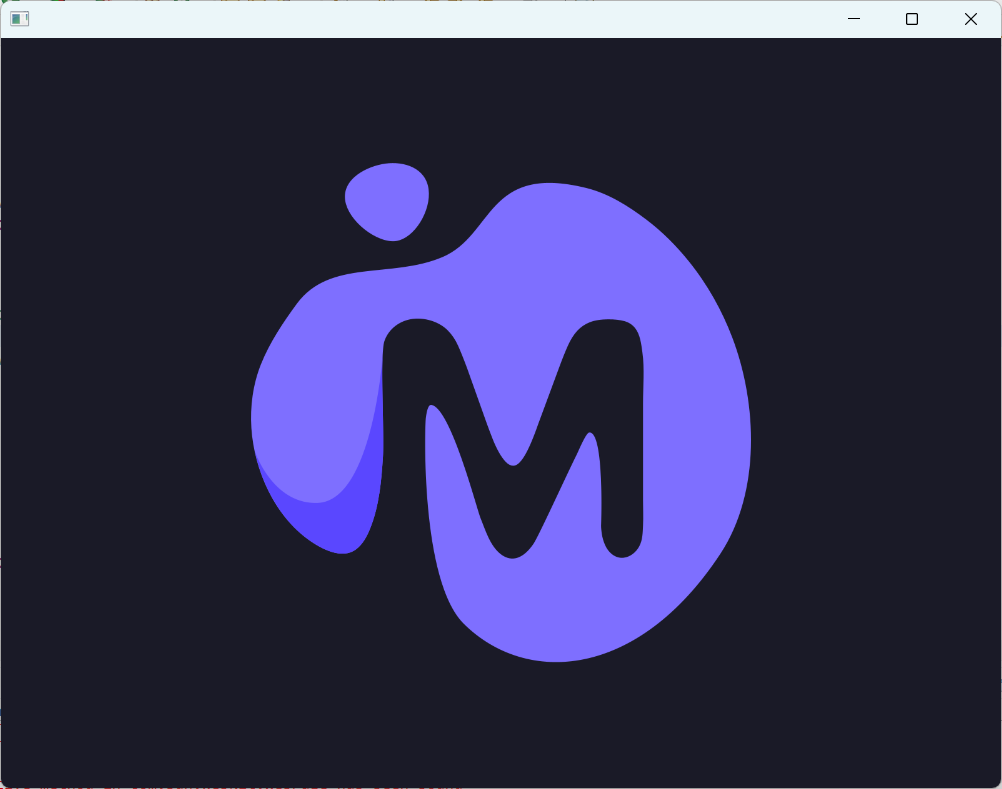
In a simple application created via the org.openjfx:javafx-archetype-simple archetype website https://mudblazor.com/ loads indefinitely
The most likely problem here is that all webassembly websites are not working properly.
I also found an issue on here mentioning this - JDK-8320051 which was request from a macOS user, but webassembly should now also work on webkit for windows indicated by: https://github.com/microsoft/playwright/issues/2876
STEPS TO FOLLOW TO REPRODUCE THE PROBLEM :
1. Create maven project using the org.openjfx:javafx-archetype-simple archetype
2. Include JavaFX WebView in pom.xml as dependency
3. Adjust app.java so you have a WebView visible in the main window and make the webview load the https://mudblazor.com/ website
4. Run the application and you should just see the initial loading of the page
EXPECTED VERSUS ACTUAL BEHAVIOR :
EXPECTED -
Proper loading of the page as in normal web browser (webkit based browsers included)
ACTUAL -
Stuck on loading animation of the website
---------- BEGIN SOURCE ----------
You can also see the source code with commit history of different versions which I tried and screenshots here: https://github.com/pekv-moenkemoeller/JavaFxWebViewBlazor and also I'm pasting one of the versions here:
==FILE: pom.xml==
<project xmlns=http://maven.apache.org/POM/4.0.0 xmlns:xsi=http://www.w3.org/2001/XMLSchema-instance
xsi:schemaLocation=http://maven.apache.org/POM/4.0.0 http://maven.apache.org/maven-v4_0_0.xsd>
<modelVersion>4.0.0</modelVersion>
<groupId>com.javafxblazortest</groupId>
<artifactId>JavaFxWebViewBlazor</artifactId>
<version>1.0-SNAPSHOT</version>
<properties>
<project.build.sourceEncoding>UTF-8</project.build.sourceEncoding>
<maven.compiler.source>11</maven.compiler.source>
<maven.compiler.target>11</maven.compiler.target>
</properties>
<dependencies>
<dependency>
<groupId>org.openjfx</groupId>
<artifactId>javafx-controls</artifactId>
<version>25</version>
</dependency>
<!-- https://mvnrepository.com/artifact/org.openjfx/javafx-web -->
<dependency>
<groupId>org.openjfx</groupId>
<artifactId>javafx-web</artifactId>
<version>25</version>
</dependency>
</dependencies>
<build>
<plugins>
<plugin>
<groupId>org.apache.maven.plugins</groupId>
<artifactId>maven-compiler-plugin</artifactId>
<version>3.8.0</version>
<configuration>
<release>11</release>
</configuration>
</plugin>
<plugin>
<groupId>org.openjfx</groupId>
<artifactId>javafx-maven-plugin</artifactId>
<version>0.0.6</version>
<executions>
<execution>
<!-- Default configuration for running -->
<!-- Usage: mvn clean javafx:run -->
<id>default-cli</id>
<configuration>
<mainClass>com.javafxblazortest.App</mainClass>
</configuration>
</execution>
<execution>
<!-- Configuration for manual attach debugging -->
<!-- Usage: mvn clean javafx:run@debug -->
<id>debug</id>
<configuration>
<options>
<option>-agentlib:jdwp=transport=dt_socket,server=y,suspend=y,address=localhost:8000</option>
</options>
<mainClass>com.javafxblazortest.App</mainClass>
</configuration>
</execution>
<execution>
<!-- Configuration for automatic IDE debugging -->
<id>ide-debug</id>
<configuration>
<options>
<option>-agentlib:jdwp=transport=dt_socket,server=n,address=${jpda.address}</option>
</options>
<mainClass>com.javafxblazortest.App</mainClass>
</configuration>
</execution>
</executions>
</plugin>
</plugins>
</build>
</project>
==FILE: module-info.java==
module com.javafxblazortest {
requires javafx.controls;
requires javafx.web;
exports com.javafxblazortest;
}
package com.javafxblazortest;
import javafx.application.Application;
import javafx.scene.Scene;
import javafx.scene.control.Label;
import javafx.scene.layout.StackPane;
import javafx.scene.web.WebView;
import javafx.stage.Stage;
public class App extends Application {
@Override
public void start(Stage stage) {
var javaVersion = SystemInfo.javaVersion();
var javafxVersion = SystemInfo.javafxVersion();
// webView.getEngine().load(https://duckduckgo.com/);
webView.getEngine().load(https://mudblazor.com/);
// webView.getEngine().load(https://dos.zone/doom-dec-1993/);
WebView webView = new WebView();
var scene = new Scene(webView);
stage.setScene(scene);
stage.show();
}
public static void main(String[] args) {
launch();
}
}
==FILE: SystemInfo==
package com.javafxblazortest;
public class SystemInfo {
public static String javaVersion() {
return System.getProperty("java.version");
}
public static String javafxVersion() {
return System.getProperty("javafx.version");
}
}
---------- END SOURCE ----------
==Workaround==
I don't know about any workarounds
Partial output of java -XshowSettings:properties -version
Property settings:
file.encoding = UTF-8
file.separator = \
java.class.path =
java.class.version = 69.0
java.home = C:\Users\pekv\.jdks\openjdk-25
java.io.tmpdir = C:\Users\pekv\AppData\Local\Temp\2\
java.runtime.name = OpenJDK Runtime Environment
java.runtime.version = 25+36-3489
java.specification.name = Java Platform API Specification
java.specification.vendor = Oracle Corporation
java.specification.version = 25
java.vendor = Oracle Corporation
java.vendor.url = https://java.oracle.com/
java.vendor.url.bug = https://bugreport.java.com/bugreport/
java.version = 25
java.version.date = 2025-09-16
java.vm.compressedOopsMode = Zero based
java.vm.info = mixed mode, sharing
java.vm.name = OpenJDK 64-Bit Server VM
java.vm.specification.name = Java Virtual Machine Specification
java.vm.specification.vendor = Oracle Corporation
java.vm.specification.version = 25
java.vm.vendor = Oracle Corporation
java.vm.version = 25+36-3489
jdk.debug = release
line.separator = \r \n
os.arch = amd64
os.name = Windows Server 2022
os.version = 10.0
openjdk version "25" 2025-09-16
OpenJDK Runtime Environment (build 25+36-3489)
OpenJDK 64-Bit Server VM (build 25+36-3489, mixed mode, sharing)
A DESCRIPTION OF THE PROBLEM :
In a simple application created via the org.openjfx:javafx-archetype-simple archetype website https://mudblazor.com/ loads indefinitely
The most likely problem here is that all webassembly websites are not working properly.
I also found an issue on here mentioning this - JDK-8320051 which was request from a macOS user, but webassembly should now also work on webkit for windows indicated by: https://github.com/microsoft/playwright/issues/2876
STEPS TO FOLLOW TO REPRODUCE THE PROBLEM :
1. Create maven project using the org.openjfx:javafx-archetype-simple archetype
2. Include JavaFX WebView in pom.xml as dependency
3. Adjust app.java so you have a WebView visible in the main window and make the webview load the https://mudblazor.com/ website
4. Run the application and you should just see the initial loading of the page
EXPECTED VERSUS ACTUAL BEHAVIOR :
EXPECTED -
Proper loading of the page as in normal web browser (webkit based browsers included)
ACTUAL -
Stuck on loading animation of the website
---------- BEGIN SOURCE ----------
You can also see the source code with commit history of different versions which I tried and screenshots here: https://github.com/pekv-moenkemoeller/JavaFxWebViewBlazor and also I'm pasting one of the versions here:
==FILE: pom.xml==
<project xmlns=http://maven.apache.org/POM/4.0.0 xmlns:xsi=http://www.w3.org/2001/XMLSchema-instance
xsi:schemaLocation=http://maven.apache.org/POM/4.0.0 http://maven.apache.org/maven-v4_0_0.xsd>
<modelVersion>4.0.0</modelVersion>
<groupId>com.javafxblazortest</groupId>
<artifactId>JavaFxWebViewBlazor</artifactId>
<version>1.0-SNAPSHOT</version>
<properties>
<project.build.sourceEncoding>UTF-8</project.build.sourceEncoding>
<maven.compiler.source>11</maven.compiler.source>
<maven.compiler.target>11</maven.compiler.target>
</properties>
<dependencies>
<dependency>
<groupId>org.openjfx</groupId>
<artifactId>javafx-controls</artifactId>
<version>25</version>
</dependency>
<!-- https://mvnrepository.com/artifact/org.openjfx/javafx-web -->
<dependency>
<groupId>org.openjfx</groupId>
<artifactId>javafx-web</artifactId>
<version>25</version>
</dependency>
</dependencies>
<build>
<plugins>
<plugin>
<groupId>org.apache.maven.plugins</groupId>
<artifactId>maven-compiler-plugin</artifactId>
<version>3.8.0</version>
<configuration>
<release>11</release>
</configuration>
</plugin>
<plugin>
<groupId>org.openjfx</groupId>
<artifactId>javafx-maven-plugin</artifactId>
<version>0.0.6</version>
<executions>
<execution>
<!-- Default configuration for running -->
<!-- Usage: mvn clean javafx:run -->
<id>default-cli</id>
<configuration>
<mainClass>com.javafxblazortest.App</mainClass>
</configuration>
</execution>
<execution>
<!-- Configuration for manual attach debugging -->
<!-- Usage: mvn clean javafx:run@debug -->
<id>debug</id>
<configuration>
<options>
<option>-agentlib:jdwp=transport=dt_socket,server=y,suspend=y,address=localhost:8000</option>
</options>
<mainClass>com.javafxblazortest.App</mainClass>
</configuration>
</execution>
<execution>
<!-- Configuration for automatic IDE debugging -->
<id>ide-debug</id>
<configuration>
<options>
<option>-agentlib:jdwp=transport=dt_socket,server=n,address=${jpda.address}</option>
</options>
<mainClass>com.javafxblazortest.App</mainClass>
</configuration>
</execution>
</executions>
</plugin>
</plugins>
</build>
</project>
==FILE: module-info.java==
module com.javafxblazortest {
requires javafx.controls;
requires javafx.web;
exports com.javafxblazortest;
}
package com.javafxblazortest;
import javafx.application.Application;
import javafx.scene.Scene;
import javafx.scene.control.Label;
import javafx.scene.layout.StackPane;
import javafx.scene.web.WebView;
import javafx.stage.Stage;
public class App extends Application {
@Override
public void start(Stage stage) {
var javaVersion = SystemInfo.javaVersion();
var javafxVersion = SystemInfo.javafxVersion();
// webView.getEngine().load(https://duckduckgo.com/);
webView.getEngine().load(https://mudblazor.com/);
// webView.getEngine().load(https://dos.zone/doom-dec-1993/);
WebView webView = new WebView();
var scene = new Scene(webView);
stage.setScene(scene);
stage.show();
}
public static void main(String[] args) {
launch();
}
}
==FILE: SystemInfo==
package com.javafxblazortest;
public class SystemInfo {
public static String javaVersion() {
return System.getProperty("java.version");
}
public static String javafxVersion() {
return System.getProperty("javafx.version");
}
}
---------- END SOURCE ----------
==Workaround==
I don't know about any workarounds

- relates to
-
JDK-8320051 Enable WebAssembly Support from WebKit
-

- Open
-