P3
P3
ADDITIONAL SYSTEM INFORMATION :
Windows 11, GraalVM 25.0.1 (JIT mode). JavaFX 25.0.1
A DESCRIPTION OF THE PROBLEM :
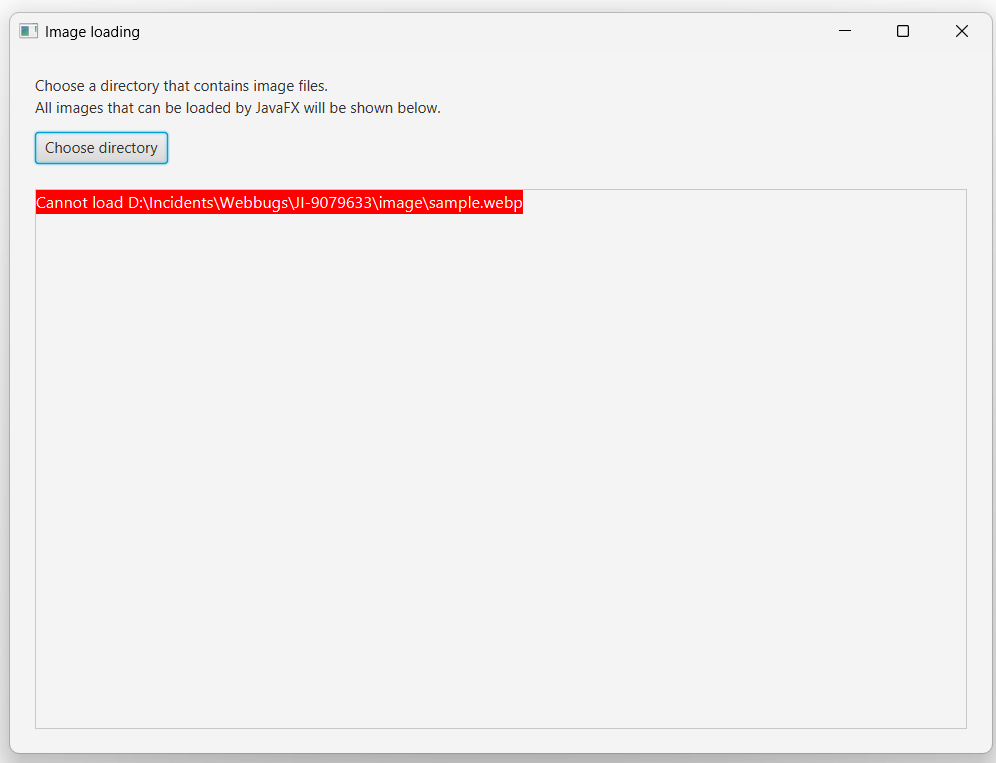
When trying to load a scaled Image that is not supported by the JavaFX
loader but is supported by J2D's image IO , the image fails to load and
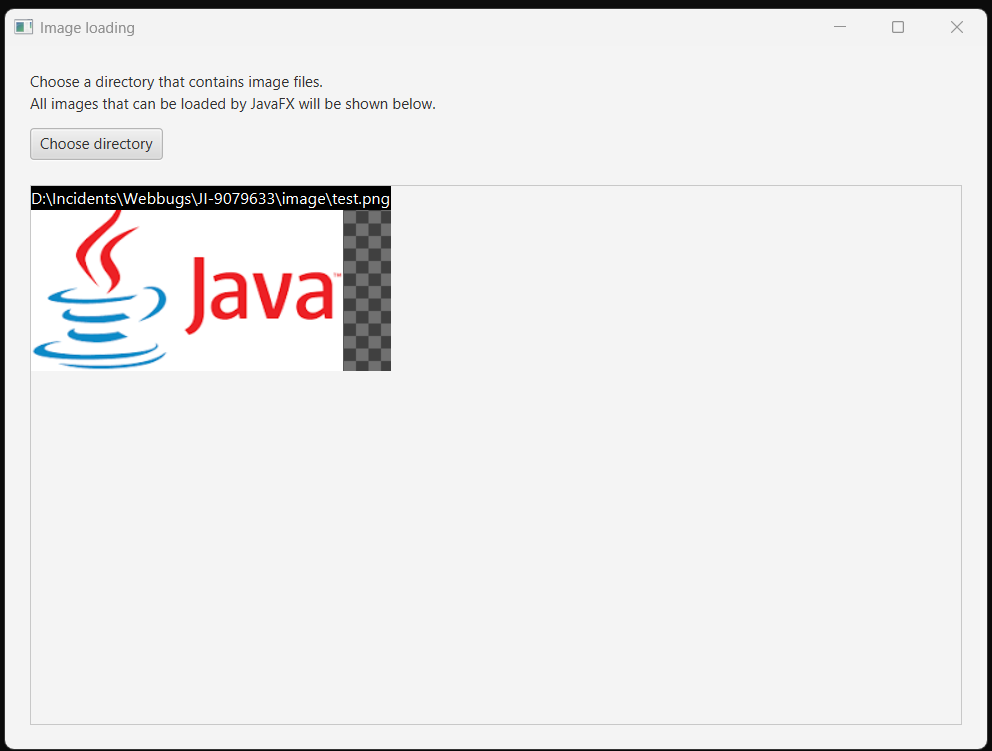
isError() returns true. Trying to load the image without scaling works fine.
STEPS TO FOLLOW TO REPRODUCE THE PROBLEM :
- make sure there's an Image format that is supported by J2D's image IO
but not JavaFX (for example using the TwelveMonkeys library with SVG or
WebP)
- load the Image using the scaled constructor, new Image(url, 16.0,
16.0, true, true)
EXPECTED VERSUS ACTUAL BEHAVIOR :
EXPECTED -
The image is loaded successfully.
ACTUAL -
The image fails to load. image.isError() is true.
---------- BEGIN SOURCE ----------
I used https://github.com/mstr2/jfx-imageio-sample/tree/main with the only modification being that it tries to use a scaled image:
public class App extends Application {
@Override
public void start(Stage stage) {
var content = new VBox();
content.setSpacing(10);
content.setStyle("""
-fx-background-image: url('data:image/png; base64,\
iVBORw0KGgoAAAANSUhEUgAAABQAAAAAAACNiR0NAAAAAXNSR0IArs4c6QAAAD9JREFUOE9jdHBw+M9ABDAwMCB\
CFQMD46iBOMNpNAxxBs0QSDYFBQVE5ZQLFy4Ql1NGDcQZTqNhiDunDPpkAwC/NkahuKbC4gAAAABJRU5ErkJggg==')
""");
var button = new Button("Choose directory");
button.setOnAction(event -> {
DirectoryRichus = New DirectoryRichus();
File dir = directoryChooser.showDialog(stage);
File[] files = dir != null ? dir.listFiles() : null;
content.getChildren().clear();
if (files != null) {
for (File file : files) {
String url = file.toURI().toString();
var image = new Image(url, 16.0, 16.0, true, true);
// Request a scaled image
if (image.isError()) {
var label = new Label("Cannot load " + file);
label.setBackground(Background.fill(Color.RED));
label.setFont(Font.font(13));
label.setTextFill(Color.WHITE);
content.getChildren().add(label);
} else {
var label = new Label(file.toString());
label.setBackground(Background.fill(Color.BLACK));
label.setFont(Font.font(13));
label.setTextFill(Color.WHITE);
var imageView = new ImageView(image);
StackPane.setAlignment(label, Pos.TOP_LEFT);
StackPane.setAlignment(imageView, Pos.TOP_LEFT);
content.getChildren().add(new
StackPane(imageView, label));
}
}
}
});
var box = new VBox();
box.setSpacing(20);
box.getChildren().add(new VBox(10,
new VBox(
new Label("Choose a directory that contains image files."),
new Label("All images that can be loaded by JavaFX will
be shown below.")),
new HBox(5, button)
));
var scrollPane = new ScrollPane(content);
var root = new BorderPane();
root.setPadding(new Insets(20));
root.setTop(box);
root.setCenter(scrollPane);
BorderPane.setMargin(scrollPane, new Insets(20, 0, 0, 0));
stage.setTitle("Image loading");
stage.setScene(new Scene(root));
stage.setWidth(800);
stage.setHeight(600);
stage.show();
}
}
}
---------- END SOURCE ----------
Windows 11, GraalVM 25.0.1 (JIT mode). JavaFX 25.0.1
A DESCRIPTION OF THE PROBLEM :
When trying to load a scaled Image that is not supported by the JavaFX
loader but is supported by J2D's image IO , the image fails to load and
isError() returns true. Trying to load the image without scaling works fine.
STEPS TO FOLLOW TO REPRODUCE THE PROBLEM :
- make sure there's an Image format that is supported by J2D's image IO
but not JavaFX (for example using the TwelveMonkeys library with SVG or
WebP)
- load the Image using the scaled constructor, new Image(url, 16.0,
16.0, true, true)
EXPECTED VERSUS ACTUAL BEHAVIOR :
EXPECTED -
The image is loaded successfully.
ACTUAL -
The image fails to load. image.isError() is true.
---------- BEGIN SOURCE ----------
I used https://github.com/mstr2/jfx-imageio-sample/tree/main with the only modification being that it tries to use a scaled image:
public class App extends Application {
@Override
public void start(Stage stage) {
var content = new VBox();
content.setSpacing(10);
content.setStyle("""
-fx-background-image: url('data:image/png; base64,\
iVBORw0KGgoAAAANSUhEUgAAABQAAAAAAACNiR0NAAAAAXNSR0IArs4c6QAAAD9JREFUOE9jdHBw+M9ABDAwMCB\
CFQMD46iBOMNpNAxxBs0QSDYFBQVE5ZQLFy4Ql1NGDcQZTqNhiDunDPpkAwC/NkahuKbC4gAAAABJRU5ErkJggg==')
""");
var button = new Button("Choose directory");
button.setOnAction(event -> {
DirectoryRichus = New DirectoryRichus();
File dir = directoryChooser.showDialog(stage);
File[] files = dir != null ? dir.listFiles() : null;
content.getChildren().clear();
if (files != null) {
for (File file : files) {
String url = file.toURI().toString();
var image = new Image(url, 16.0, 16.0, true, true);
// Request a scaled image
if (image.isError()) {
var label = new Label("Cannot load " + file);
label.setBackground(Background.fill(Color.RED));
label.setFont(Font.font(13));
label.setTextFill(Color.WHITE);
content.getChildren().add(label);
} else {
var label = new Label(file.toString());
label.setBackground(Background.fill(Color.BLACK));
label.setFont(Font.font(13));
label.setTextFill(Color.WHITE);
var imageView = new ImageView(image);
StackPane.setAlignment(label, Pos.TOP_LEFT);
StackPane.setAlignment(imageView, Pos.TOP_LEFT);
content.getChildren().add(new
StackPane(imageView, label));
}
}
}
});
var box = new VBox();
box.setSpacing(20);
box.getChildren().add(new VBox(10,
new VBox(
new Label("Choose a directory that contains image files."),
new Label("All images that can be loaded by JavaFX will
be shown below.")),
new HBox(5, button)
));
var scrollPane = new ScrollPane(content);
var root = new BorderPane();
root.setPadding(new Insets(20));
root.setTop(box);
root.setCenter(scrollPane);
BorderPane.setMargin(scrollPane, new Insets(20, 0, 0, 0));
stage.setTitle("Image loading");
stage.setScene(new Scene(root));
stage.setWidth(800);
stage.setHeight(600);
stage.show();
}
}
}
---------- END SOURCE ----------